Turtles Homepage Journey - Self-Dogfooding Test
PASSED Journey Steps 5
Screenshots 15
Breakpoints 3
Issues Detected
15 A11y Violations
Step 1: Homepage Load
PASSEDUser lands on the Turtles homepage. The page displays the hero section with title "Turtles: Beautiful Playwright Test Documentation", tagline, and feature descriptions.
Mobile

Observations:
- Hero section renders in single column
- Title and tagline are readable at 375px width
- Feature cards stack vertically
- No horizontal scrolling
Console: Clean Network: Clean A11y: 1 error
Tablet
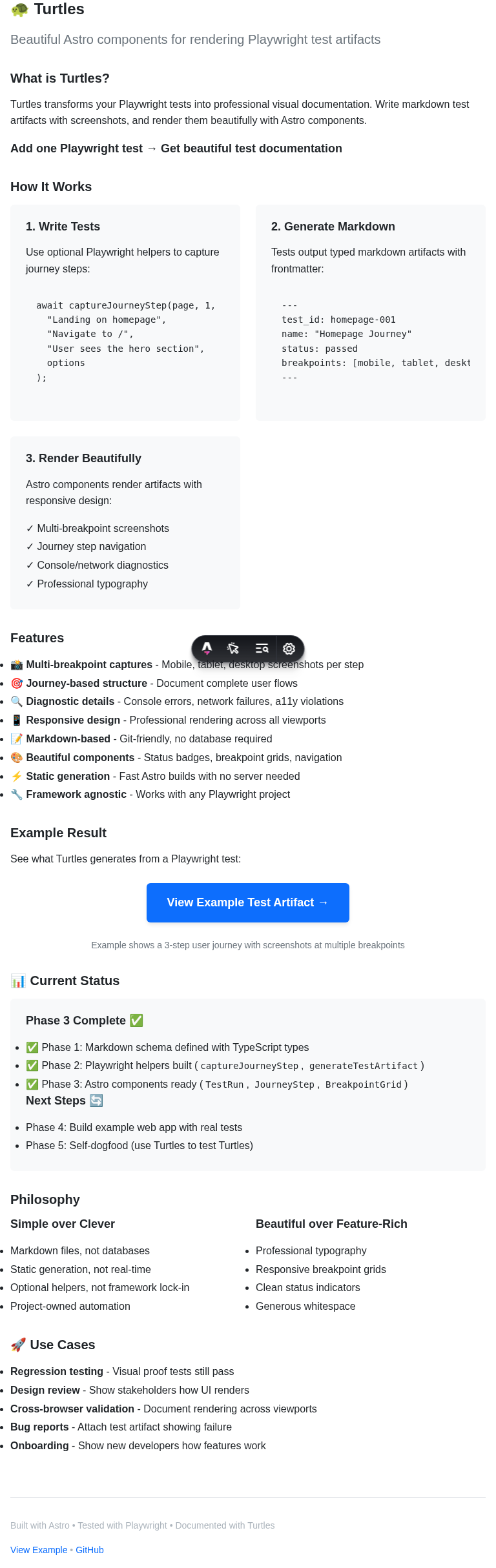
Observations:
- Hero section has comfortable spacing
- Feature cards display in 2-column grid
- Typography scales appropriately for tablet
- Navigation is easily accessible
Console: Clean Network: Clean A11y: 1 error
Desktop
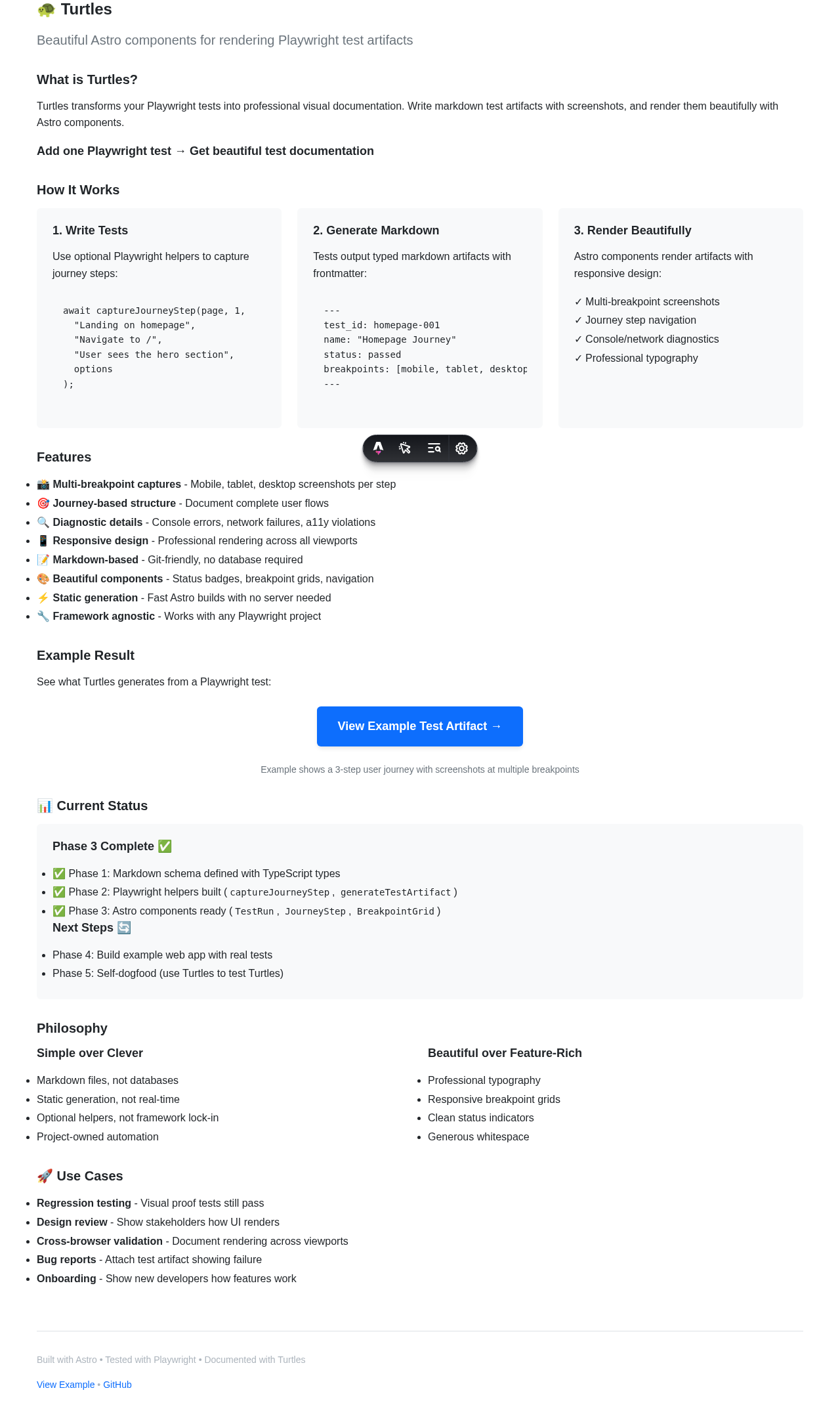
Observations:
- Full-width hero with centered content
- Feature cards display in 3-column grid
- Professional typography with generous whitespace
- All content is immediately visible
Console: Clean Network: Clean A11y: 1 error
Step 2: Hero Section Visible
PASSEDThe hero section contains the Turtles branding, main value proposition, and clear messaging about what Turtles does.
Mobile

Observations:
- Title "Turtles" is prominent and readable
- Tagline wraps appropriately on narrow screens
- Emoji decoration (🐢) renders correctly
Console: Clean Network: Clean A11y: 1 error
Tablet
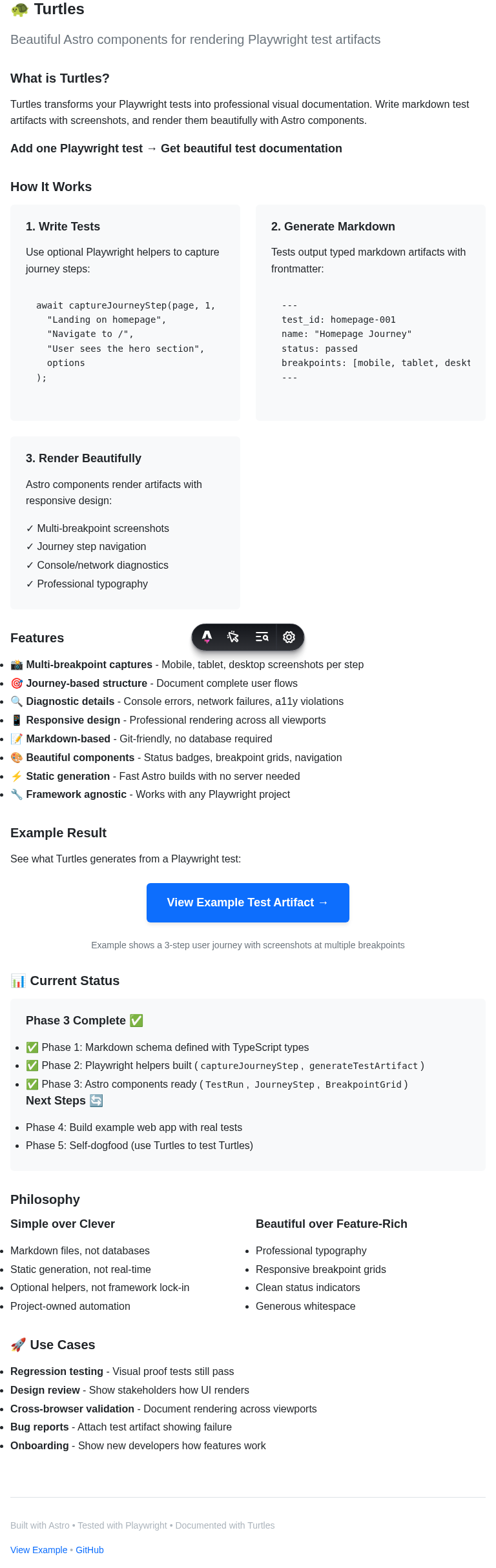
Observations:
- Hero content is well-balanced
- Tagline stays on fewer lines
- Clear visual hierarchy established
Console: Clean Network: Clean A11y: 1 error
Desktop
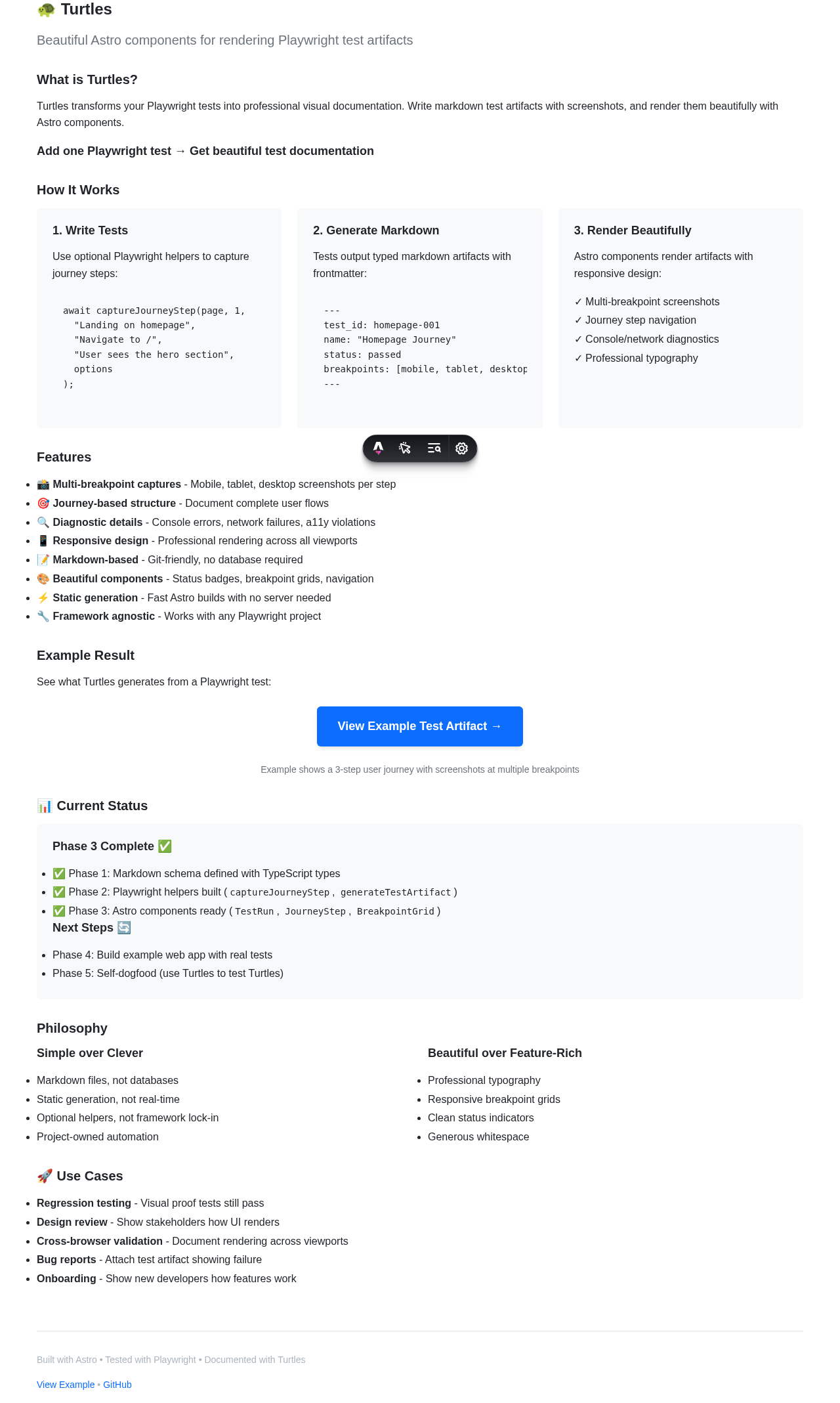
Observations:
- Hero occupies optimal screen real estate
- Single-line tagline for maximum impact
- Professional polish evident in spacing
Console: Clean Network: Clean A11y: 1 error
Step 3: Feature Cards Display
PASSEDFeature cards showcase the three main capabilities of Turtles: multi-breakpoint screenshots, beautiful markdown artifacts, and self-dogfooding approach.
Mobile

Observations:
- Feature cards stack vertically
- Emoji icons render clearly
- Card content is easily readable
- Proper spacing between cards
Console: Clean Network: Clean A11y: 1 error
Tablet
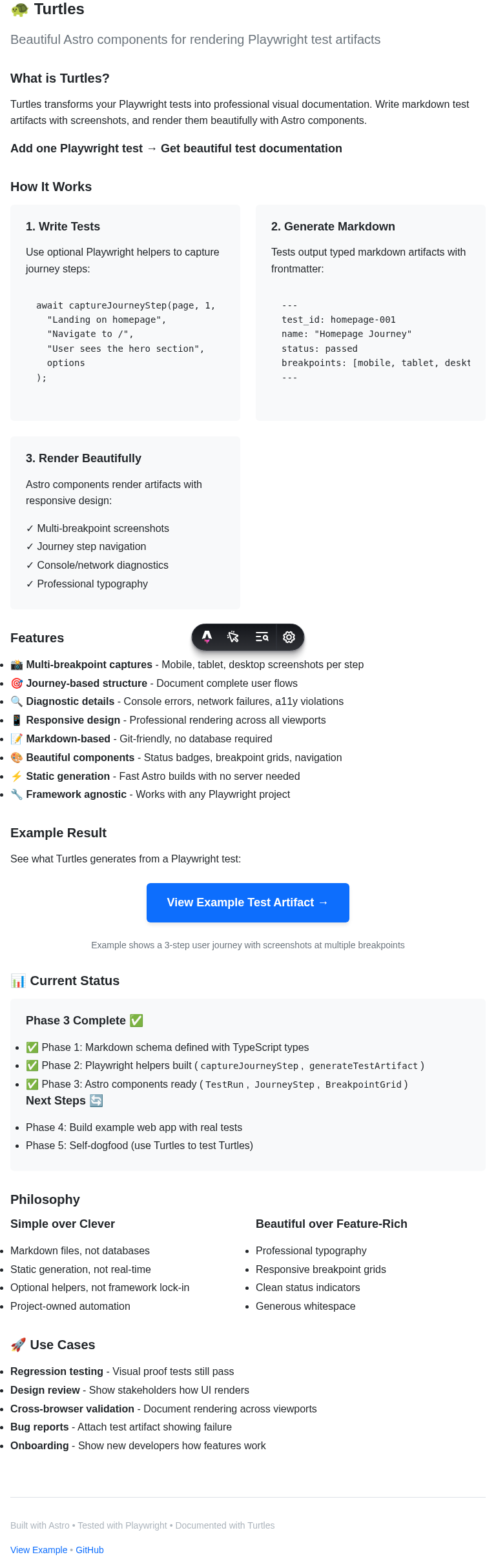
Observations:
- Two-column grid layout works well
- Cards are balanced and aligned
- Content density is appropriate
Console: Clean Network: Clean A11y: 1 error
Desktop

Observations:
- Three-column grid provides optimal layout
- Equal card heights create visual harmony
- Icons and text are well-proportioned
Console: Clean Network: Clean A11y: 1 error
Step 4: Full Page Scroll
PASSEDUser scrolls to the bottom of the homepage to see the complete page layout and footer information.
Mobile

Observations:
- Footer is visible and readable
- Content flows naturally to bottom
- No layout breaks during scroll
Console: Clean Network: Clean A11y: 1 error
Tablet
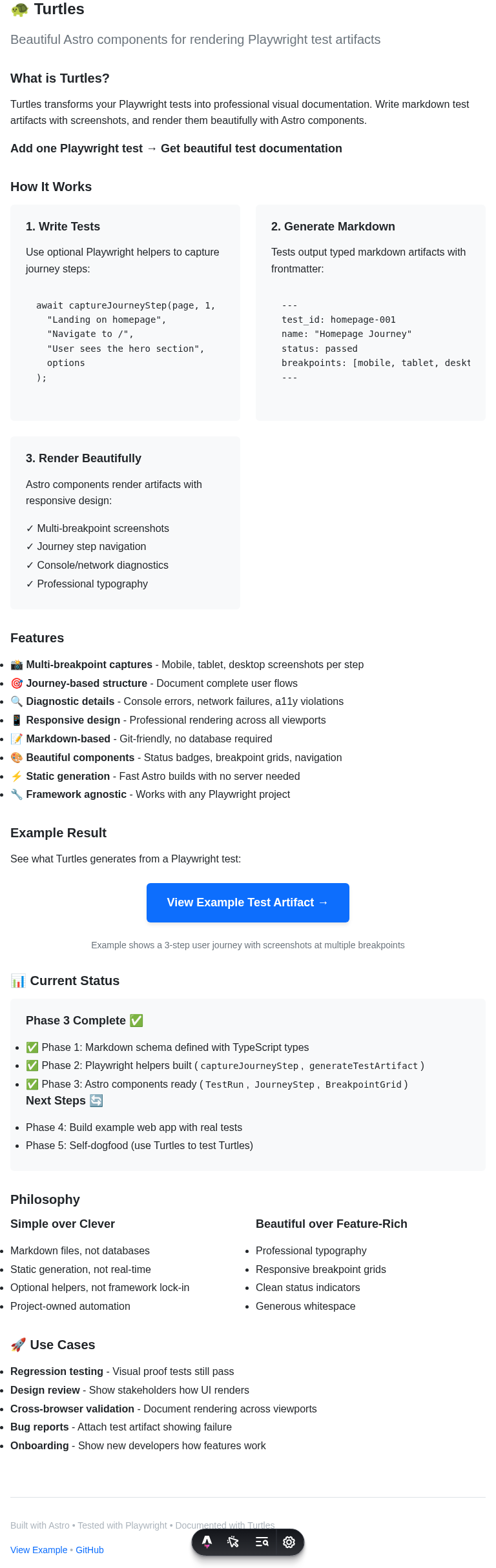
Observations:
- Full page layout is cohesive
- Scroll behavior is smooth
- Footer appears properly
Console: Clean Network: Clean A11y: 1 error
Desktop
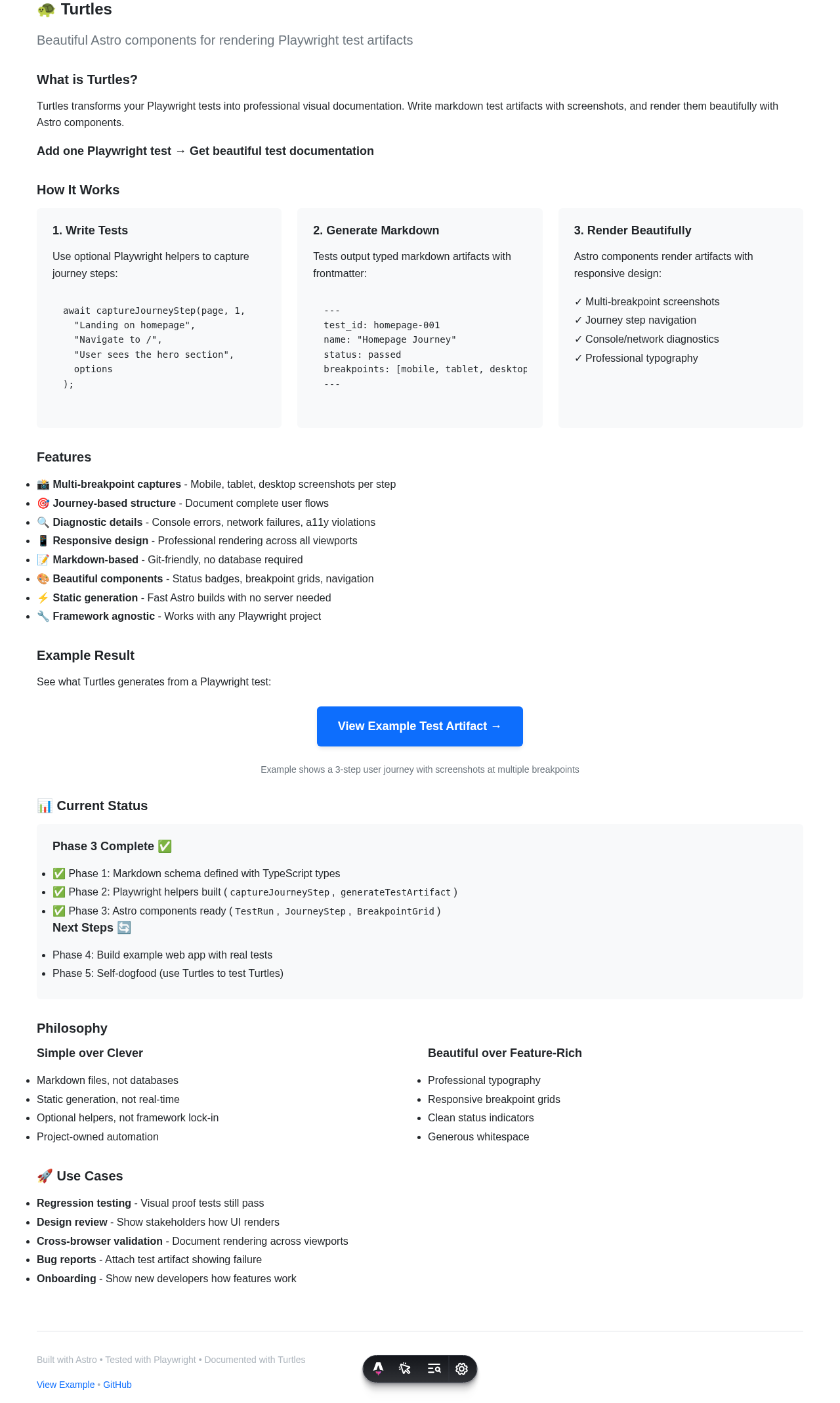
Observations:
- Page bottom is well-designed
- Content hierarchy maintained throughout
- Footer styling matches header
Console: Clean Network: Clean A11y: 1 error
Step 5: Navigate to Example Page
PASSEDUser clicks the link to navigate to the example test artifact page, demonstrating the navigation flow.
Mobile

Observations:
- Example page loads successfully
- Navigation transition is smooth
- Page layout renders correctly on arrival
Console: Clean Network: Clean A11y: 1 error
Tablet

Observations:
- Example page displays properly
- Link navigation works as expected
- Content is immediately accessible
Console: Clean Network: Clean A11y: 1 error
Desktop
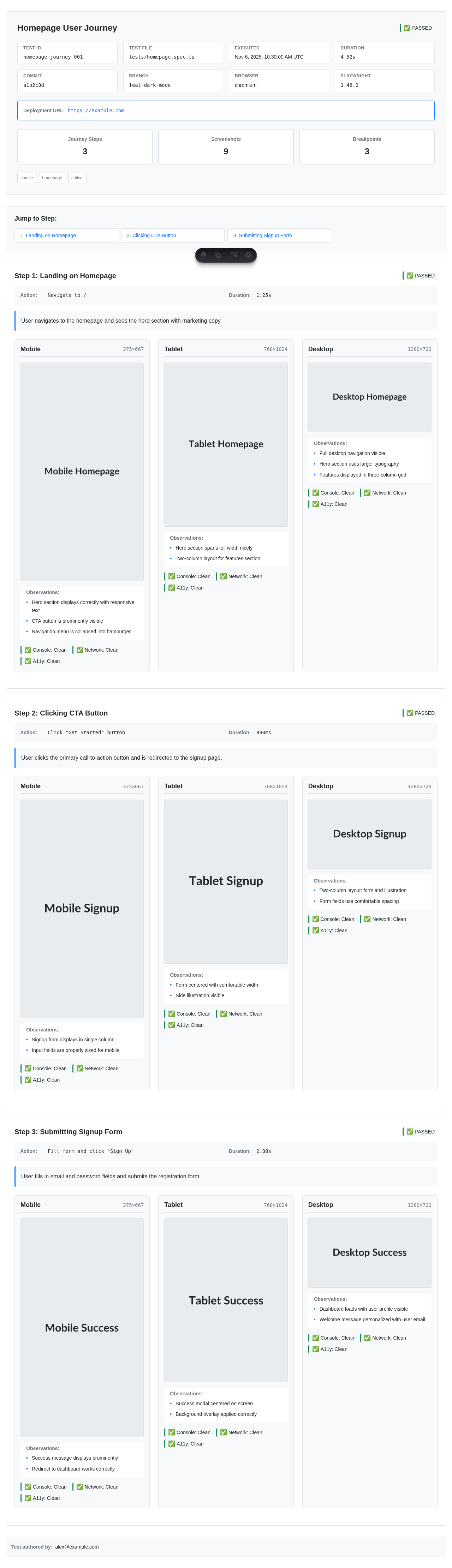
Observations:
- Example page renders at full width
- Test artifact display is functional
- Self-dogfooding demonstration complete
Console: Clean Network: Clean A11y: 1 error